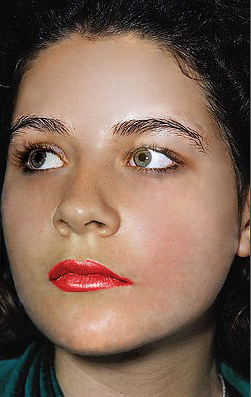
- Open Adobe Photoshop and start a new canvas
- Open the Images that will serve as your guide and will serve as your starting images (Save the images at the top of this tutorial)
- Use the tool "Healing Brush" to remove the unpleasant acnes, blemishes and spots on the subjects face
- In the finer image, press Alt+Left mouse click to pick the spot you want to be the basis of your fine image
- Getting back to the less fine image press little by little the spot you want to heal (Note: If you hold the left clicker of the mouse and spread it you will also copy the unnecessary parts of the fine image, so I suggest do it little by little)
- Do the same steps until you completely healed all the unleasant parts
- Use the dodge tool to add lightness to the cheeks (Note: 2 or 3 clicks will sure complete a fine image)
- Save as ".psd" if you want to continue your work and ".jpeg" for finished project
|
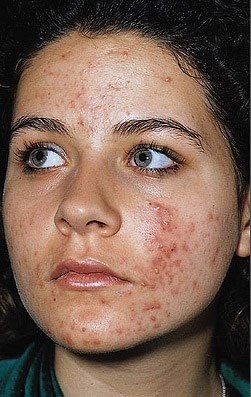 ^This would look like THIS v